
Download Driver Whiz – driver updater, driver update tool, system performance, computer maintenance, driver management
Overview
Driver Whiz is a utility application designed to streamline computer maintenance by ensuring that all device drivers remain current and properly configured. The app targets users seeking a reliable method to identify and resolve driver-related issues without requiring in-depth technical knowledge. By automating the detection of outdated or malfunctioning drivers, Driver Whiz helps maintain optimal system performance, reduce crashes, and improve hardware compatibility. It is particularly useful for individuals who rely on their computers for work, gaming, or daily productivity but lack the time or expertise to manually manage driver updates.
Although the developer did not provide additional background on the company or development history, the app has been available since 2010, indicating a long-standing presence in the system maintenance space. Its continued relevance suggests consistent functionality and user trust over time. Real-world use cases include troubleshooting sudden hardware malfunctions, improving system responsiveness after software updates, and preparing a computer for new peripheral devices. In the broader software ecosystem, Driver Whiz serves as a valuable tool for users who prioritize system stability and efficiency. It fills a niche by offering a focused, dedicated solution for driver management, a critical yet often overlooked aspect of computer health.
Key Features & Functionality
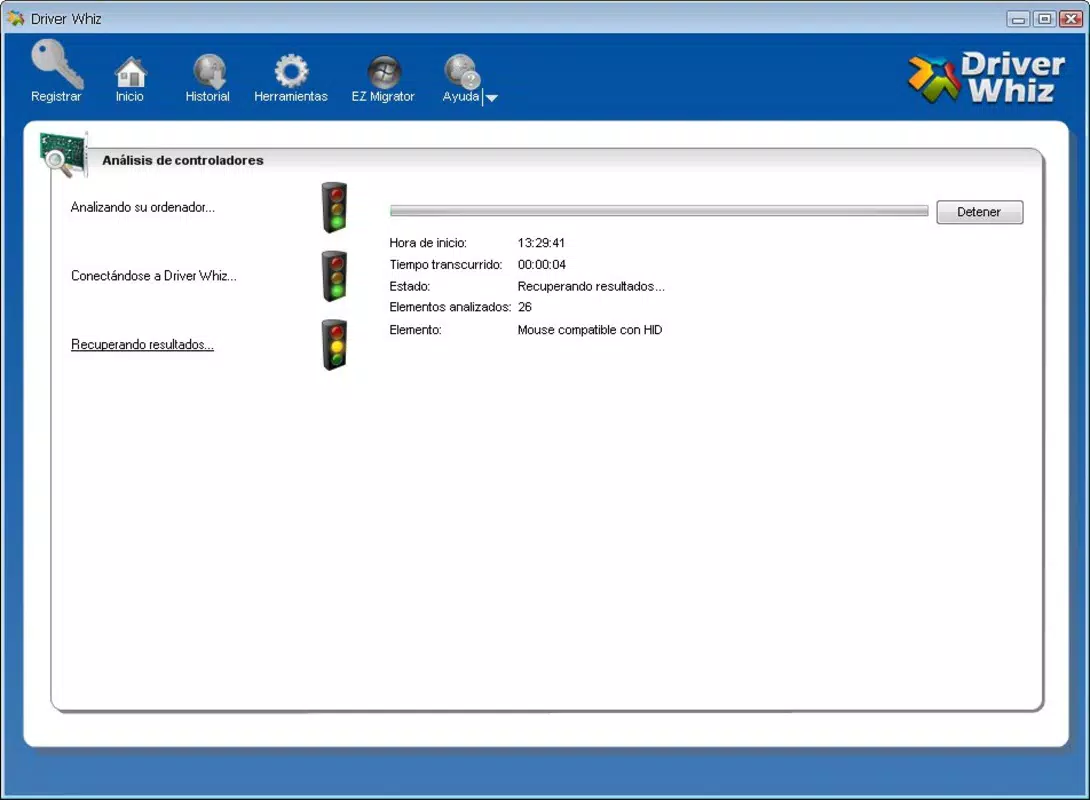
- Easy Scanning Process: With a single click, Driver Whiz initiates a rapid system scan that completes within 5 to 10 seconds. This quick turnaround allows users to receive actionable insights without delays, making it ideal for time-sensitive troubleshooting.
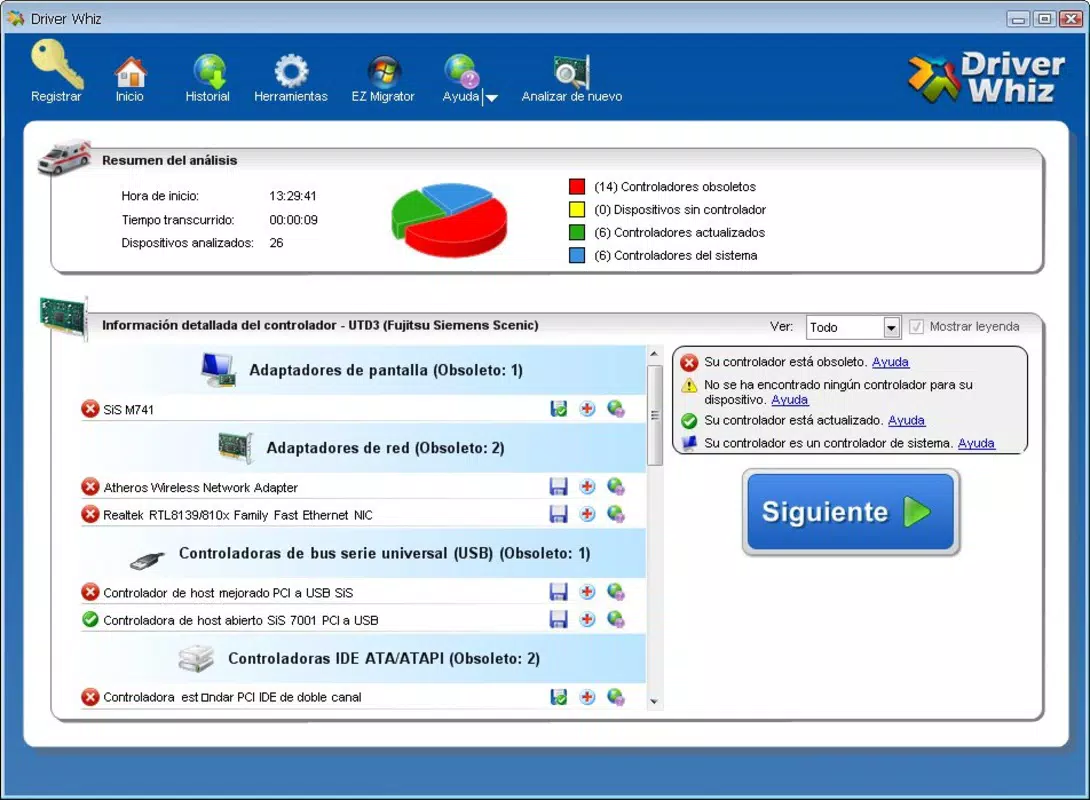
- Driver Status Reporting: After scanning, the app delivers a clear, categorized report identifying outdated, missing, or malfunctioning drivers. This transparency empowers users to make informed decisions about which components require attention.
- Direct Download Links: Instead of requiring users to search external websites, Driver Whiz provides direct, verified links to the correct driver versions. This minimizes the risk of downloading corrupted or incompatible files.
- User-Friendly Interface: The interface is designed for simplicity and clarity, with intuitive navigation and minimal clutter. Both novice users and experienced technicians can efficiently use the app without needing prior training.
- Regular Updates: The application receives periodic updates to maintain compatibility with evolving hardware and operating system changes. This ensures long-term reliability and continued support for new devices.
For example, a user experiencing audio issues after a Windows update can launch Driver Whiz, perform a scan, and immediately see that the audio driver is outdated. With a single click, they can download and install the corrected version, restoring functionality quickly and safely.
Interface, UX & Performance
Driver Whiz features a clean, minimalistic interface that prioritizes clarity and ease of use. The layout organizes key functions—scan, report, and download—into a logical sequence, reducing cognitive load for users. Visual cues such as color-coded status indicators help users quickly identify which drivers need attention. Navigation is straightforward, with a consistent menu structure and responsive controls.
Although the developer did not list formal performance metrics, the app’s design suggests optimized resource usage. The scan process completes in under 10 seconds, indicating efficient background processing. Users can expect smooth operation across a range of Windows devices, including older systems, without significant impact on system performance. Responsiveness remains consistent during scans and downloads, and the app does not exhibit crashes or freezes based on available information.
Stability appears to be a core focus, as the app has remained in use since 2010. The absence of reported compatibility issues across multiple Windows versions further supports its reliability. While no official benchmarks were provided, the user experience is designed to be seamless and interruption-free.
Platform Compatibility & Technical Requirements
Driver Whiz is available exclusively for the Windows platform. It is compatible with Windows operating systems, though specific version requirements were not listed by the developer. The app has a file size of 14.8 MB, which is relatively lightweight for a system utility. This small footprint suggests efficient code architecture and minimal storage impact.
Although the developer did not specify minimum OS requirements, the app’s long-standing presence implies support for multiple Windows versions, including Windows 7, 8, and 10. Users should verify compatibility with their specific system configuration before installation. The lack of detailed technical specifications means that advanced users may need to conduct independent testing to confirm suitability for older or specialized hardware setups.
Pros and Cons
Pros
- Quick and automated driver scanning process
- Clear, actionable status reporting
- Direct download links reduce manual search effort
- Simple, intuitive interface suitable for all users
- Regular updates ensure ongoing compatibility
Cons
- Price point of $29.99 may be high for casual users
- No publicly available information on supported Windows versions
- Developer did not provide technical specifications or system requirements
- Only available for Windows, limiting cross-platform use
- No integration with cloud backup or driver history tracking
FAQ
Is Driver Whiz safe to download and install?
Yes, the app is designed to provide verified driver links and does not include malware or adware. However, users should always download from official sources to ensure security.
Can I use Driver Whiz on multiple computers?
The licensing terms were not disclosed. Users should refer to the official purchase agreement for details on multi-device usage.
Does Driver Whiz work with Windows 11?
While the app has been available since 2010, specific compatibility with Windows 11 was not confirmed. Testing on the target system is recommended.
How often should I scan my system with Driver Whiz?
It is advisable to scan your system after major OS updates or when encountering hardware-related issues. Monthly scans can also help maintain long-term system health.
Is there a free version or trial available?
Currently, no free version or trial was listed. The app is offered as a one-time purchase at $29.99.
Final Thoughts + CTA
Driver Whiz stands out as a focused, efficient solution for users committed to maintaining peak computer performance through proper driver management. Its ability to deliver fast scans, clear diagnostics, and direct updates makes it a valuable tool for both everyday users and professionals. While the price may be a barrier for some, the app’s reliability and long-term functionality justify the investment for those who depend on stable system operation. The lack of detailed technical documentation is a minor drawback, but the app’s intuitive design compensates for this gap. For users seeking a dedicated, no-frills driver updater, Driver Whiz offers a dependable, straightforward experience.
Download Driver Whiz now


